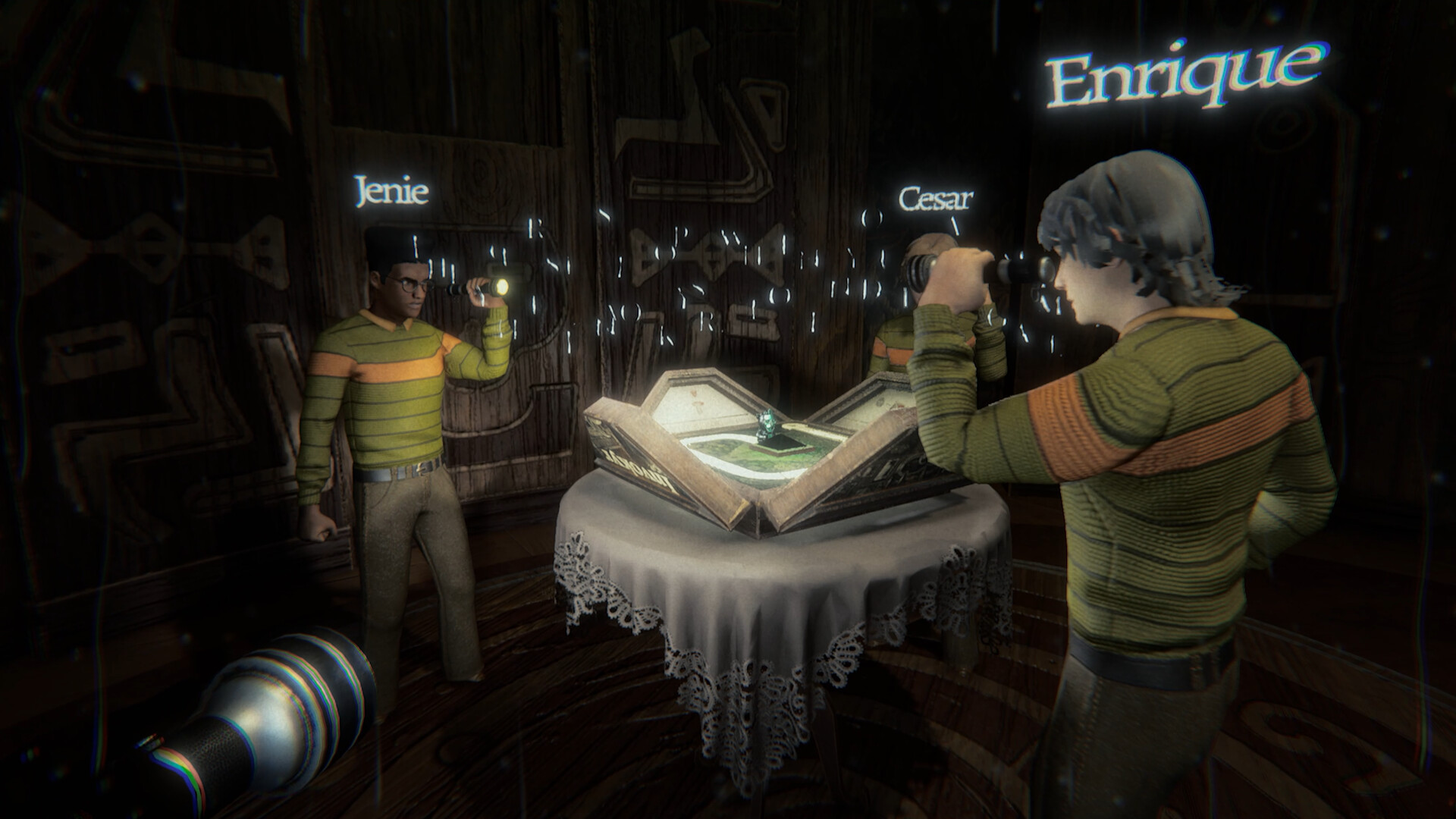
Escape the house through a cursed board game
Invokyr is Ludogram’s first-person co-op survival-horror game, where you escape a supernatural house by advancing through a cursed board game and surviving the Gamemaster’s events. Start on Windows PC through Steam with the free Invokyr Demo, or purchase the full Early Access game.
Ludogram develops the game, and Ludogram and Shochiku publish it. The full game entered Steam Early Access on October 8, 2026. Look for that developer and the cursed-board-game premise when choosing the correct Steam listing.
Choose the demo or the full Early Access game
| Option | What you can start with |
|---|---|
| Free Invokyr Demo on Steam | A separate free download supporting single-player and online co-op for up to 4 players. |
| Full Invokyr Early Access game | The paid Steam game supports single-player and online co-op for up to 6 players. |
Choose the demo if you want to try Invokyr before committing to the paid game. If you are arranging a group session, agree on which download everyone will use before getting started. Check the player limits above against your group size when making that choice.
You can also begin alone: both the demo and full game support single-player. That makes the demo an option even if your friends are not ready to join you. Pick the starting route that suits your plans, then use the matching Steam page below.
Open the right Steam page and start playing
- Open the Steam page for Invokyr by Ludogram to reach the correct game’s official product listing.
- Check your PC against the Windows system requirements on the Steam page before choosing your download or purchase route.
- Install the free Invokyr Demo from its separate Steam page if you want to try the game before buying.
- Purchase the full Invokyr Early Access game on Steam if you want to begin with the paid release.
Know what the Early Access purchase includes
Invokyr is available in Steam Early Access. Its launch content includes Haunted Manor, Jungle, Icy Mountain and Desert board themes, alongside special dice, cursed idols and a shop. The developer estimates approximately one year in Early Access, with that estimate subject to change.
The US Steam store lists a regular price of $12.99 and an introductory price of $9.74. That is a 25% promotion ending October 22, 2026. Check the price shown in your own Steam storefront before purchasing.
Check your Windows PC before committing
The full game’s minimum requirements list 64-bit Windows 10, 16 GB of RAM and 5 GB of available storage. DirectX 11 and a broadband internet connection are also listed. Compare these requirements with your PC before buying, especially if you are coordinating a group purchase.
For the minimum processor, the Steam listing names a Core i5-7500 or AMD Ryzen 5 1600. The minimum graphics options are Nvidia GeForce GTX 1650 or AMD Radeon RX 580. Check the component names in your system against this list before starting a download.
The recommended processor options are Intel Core i5-11500 or AMD Ryzen 5 5600X, with Nvidia GeForce RTX 3060 or AMD Radeon RX 6600 XT graphics. Recommended memory remains 16 GB of RAM. Use the minimum and recommended specifications as separate reference points when assessing your machine.
Understand what you are trying to escape
The Gamemaster was once a beloved toy and now rules the abandoned house where you are trapped. Playing the cursed board game is your route toward freedom. Your objective is to reach the end while surviving the terrors, traps and curses summoned along the way.
Exploring the house lets you recover hidden dice, and each die can only be used once. Some dice offer powers to heal, hide or hinder the creatures hunting you, with risks attached. Keep that basic connection in mind: exploration supplies dice, and playing the board brings both progress and danger.
The house is a labyrinth of rooms, and its creatures have different ways of hunting. For an opening session, make learning your surroundings a priority alongside understanding the board. Talk through what you notice with your group as you learn how the threats behave.
Set up a readable, comfortable first session
Invokyr’s Steam listing includes adjustable text size, custom volume controls and subtitle options. It also lists stereo sound and play without timed input. Before settling into a session, take a moment to check which of these options would make the game more comfortable for you.
English is among the supported languages and has full audio support. Subtitle options are also listed separately among the game’s accessibility features. Check those options before you begin if you prefer to read dialogue while playing.
Find official updates and help after you start
Ludogram’s official Invokyr website is the developer’s game page. For announcements and patch notes, use Invokyr’s Steam news page. If you run into a problem while getting started, Steam General Discussions has a pinned Invokyr FAQ and Troubleshooting topic to look for.
Open Ludogram’s official Invokyr website for the developer’s game page.
Read Invokyr announcements and patch notes on Steam.
Open Invokyr Steam discussions to find the pinned FAQ and Troubleshooting topic.